5 Secret QuickBooks® Shortcuts That Save You 3 Hours Weekly
Mar 02, 2026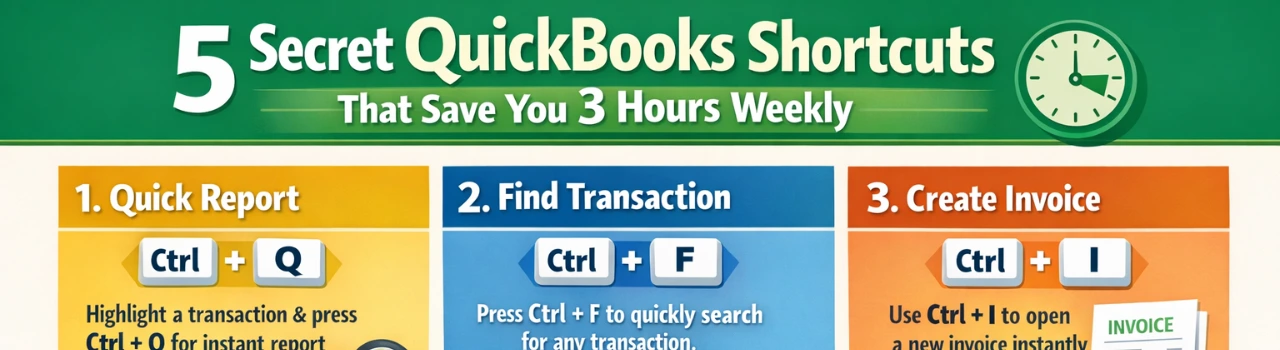
Book a demo with one of our experts!
- Get a guided tour
- Let's do the setup together
- 100% Free
If you use QuickBooks® Online daily, you probably spend more time clicking, searching, and navigating than necessary. The good news? There are hidden shortcuts inside QuickBooks® that can dramatically speed up your workflow.
Here are five powerful shortcuts most small business owners don’t use — but should.
The Global Search Shortcut (Ctrl + Alt + /)
Instead of manually clicking through menus to find transactions, customers, or reports, use the global search feature. Simply press the shortcut and type what you need — invoice number, vendor name, or account.
It instantly pulls up results and saves several minutes every time you need to locate something.
Create Transactions Faster with the “+ New” Shortcut
Rather than navigating through Sales, Expenses, or Banking menus, use the + New button at the top of your dashboard. Even better, memorize your most-used transaction types so they’re always easily accessible.
This speeds up invoicing, bill entry, and expense recording.
Bank Rules Automation
Bank rules are one of the most underused time-saving tools. Instead of categorizing the same vendor expenses every week, create rules that automatically assign categories, classes, or locations.
Over time, this can save hours of repetitive work.
Recurring Transactions Setup
If you send the same invoice monthly or record fixed expenses like rent, don’t recreate them manually. Set them as recurring transactions. QuickBooks® can automatically generate or even send invoices on your behalf.
This alone can save 1–2 hours per week for service businesses.
Custom Keyboard Shortcuts (Desktop Users)
If you’re using QuickBooks® Desktop, keyboard shortcuts like:
- Ctrl + I (Create Invoice)
- Ctrl + W (Write Check)
- Ctrl + Q (Quick Report)
help you bypass menus entirely and work much faster.
Bonus Time-Saver: Automated Reports
Instead of manually pulling financial reports every week, schedule automatic report emails to yourself or your accountant. This ensures your Profit & Loss and cash flow reports arrive without extra clicks.
Why These Shortcuts Matter
Saving 20–30 minutes daily equals nearly three hours per week. That’s time you can spend on growth, sales, or strategy instead of repetitive bookkeeping tasks.
Most QuickBooks® users only use 40–50% of the system’s efficiency. Learning hidden shortcuts and automation tools can completely transform your productivity.
Want to Optimize Your QuickBooks® Setup?
A professional QuickBooks® optimization session can:
- Automate repetitive tasks
- Set up smart bank rules
- Create workflow shortcuts
- Improve reporting speed
Small tweaks = big time savings.

Contact Information


Request a Quote
