Top Advantages of QuickBooks® Cloud Accounting for Modern Businesses
Jan 12, 2026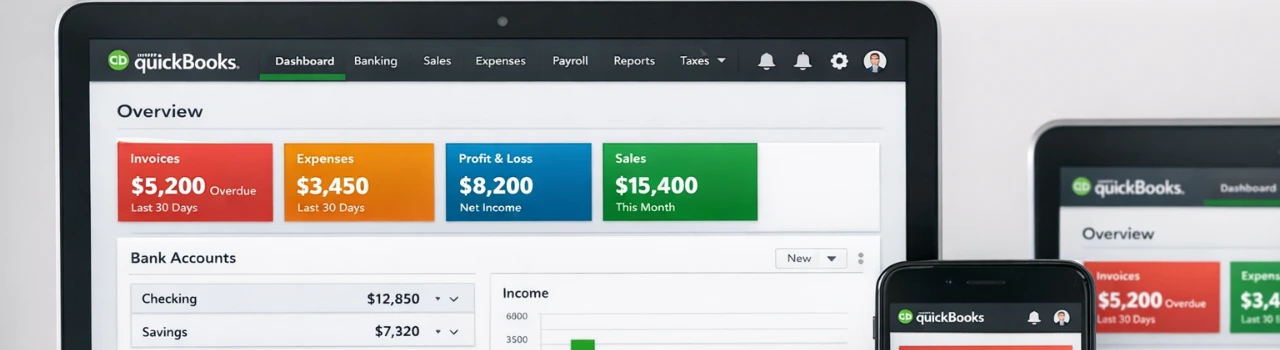
Book a demo with one of our experts!
- Get a guided tour
- Let's do the setup together
- 100% Free
Modern businesses need speed, flexibility, and real-time financial insights. Traditional accounting software often struggles to keep up with remote teams, digital payments, and growing compliance requirements. This is where QuickBooks® Cloud Accounting (QuickBooks® Online) stands out.
In 2026, businesses are increasingly choosing cloud-based accounting to simplify operations, improve visibility, and stay competitive. QuickBooks® Cloud Accounting offers a powerful, secure, and scalable solution that supports today’s fast-moving business environment.
What Is QuickBooks® Cloud Accounting?
QuickBooks® Cloud Accounting, also known as QuickBooks® Online, allows businesses to manage finances through a secure, web-based platform. Unlike desktop software, it provides anytime access, automatic updates, and seamless integration with modern business applications.
This makes QuickBooks® Online an ideal choice for businesses that value flexibility and real-time collaboration.
Key Advantages of QuickBooks® Cloud Accounting
1. Anytime, Anywhere Access
With QuickBooks® Cloud Accounting, business owners and accountants can access financial data from any device. This is especially useful for remote teams, multi-location businesses, and on-the-go decision-makers.
2. Real-Time Financial Visibility
QuickBooks® Online provides up-to-date dashboards and reports, enabling businesses to:
- Track cash flow in real time
- Monitor expenses instantly
- Make informed financial decisions
This level of visibility is essential for modern financial planning.
3. Seamless Collaboration with Accountants
Cloud-based access allows multiple users to work simultaneously. Accountants, bookkeepers, and business owners can collaborate without file sharing or version issues.
This improves accuracy and speeds up financial reviews and tax preparation.
4. Automatic Updates and Backups
QuickBooks® Cloud Accounting automatically:
- Updates software features
- Applies security patches
- Backs up financial data
This eliminates manual maintenance and reduces the risk of data loss.
5. Strong Security and Compliance
Security is a major concern for modern businesses. QuickBooks® Online uses:
- Encrypted data storage
- Secure login protocols
- Compliance-ready financial records
These features help businesses meet modern compliance and audit requirements.
6. Built-In Tax and Compliance Tools
QuickBooks® Cloud Accounting supports:
- Automated sales tax calculations
- Organized expense categorization
- Tax-ready financial reports
This reduces stress during tax season and improves filing accuracy.
7. Easy Integration with Business Apps
One of the biggest advantages of QuickBooks® Cloud Accounting is its ability to integrate with:
- Payroll software
- CRM systems
- Inventory management tools
- eCommerce platforms
- Payment gateways
With proper QuickBooks® integration, businesses achieve end-to-end automation and accurate financial reporting.
8. Scalable for Growing Businesses
As your business grows, QuickBooks® Cloud Accounting grows with you. You can:
- Add users
- Upgrade plans
- Integrate advanced tools
This scalability makes it suitable for startups and expanding businesses alike.
How QBIS Maximizes the Benefits of QuickBooks® Cloud Accounting
QBIS helps businesses unlock the full potential of QuickBooks® Cloud Accounting through:
- Secure data migration to QuickBooks® Online
- Integration with payroll, inventory, CRM, and ERP systems
- Real-time data sync and validation
- Custom workflows tailored to business needs
With QBIS, QuickBooks® Cloud becomes a fully connected financial ecosystem.
Who Should Use QuickBooks® Cloud Accounting?
QuickBooks® Cloud Accounting is ideal for:
- Small and mid-sized businesses
- Remote and hybrid teams
- Service-based companies
- eCommerce businesses
- Growing enterprises seeking automation
FAQs: QuickBooks® Cloud Accounting
1. Is QuickBooks® Cloud Accounting secure?
Yes, it uses advanced encryption and secure access protocols.
2. Can I migrate from QuickBooks® Desktop to Cloud?
Yes, Desktop-to-Online migration is common and supported.
3. Does QuickBooks® Cloud support tax reporting?
Yes, it provides tax-ready reports and automated calculations.
4. Can multiple users access QuickBooks® Online?
Yes, multiple users can collaborate in real time.
5. Do I need integration services for QuickBooks® Cloud?
Integrations help automate workflows and improve accuracy.

Contact Information


Request a Quote
